Understand how a computer works with Kano ! Software and hardware knowledge made easy :)
· Updated · 3 min read · by Adrien Lopez
The Kano computer kit is a Raspberry Pi with Kano OS, a friendly Linux distribution that teaches hardware, software and coding through games. Designed for kids from 6 years old, it is just as fun for adults who want to understand what happens inside a computer.
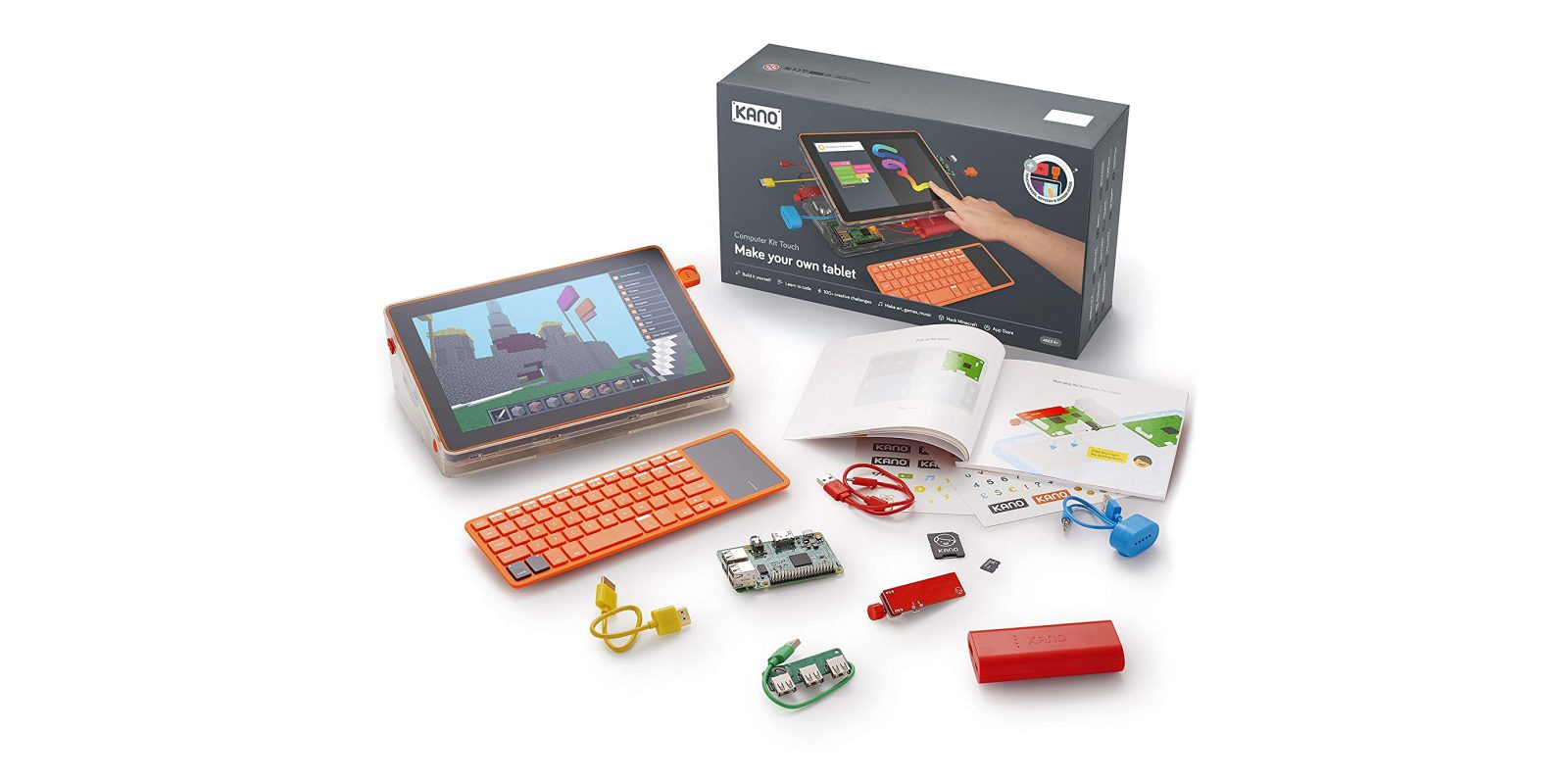
We use computers all day long, yet very few of us know what happens inside. Kano turns that mystery into a game: you build your own computer like a LEGO set, then you learn to command it, one challenge at a time. Let's go through this topic and play with this fun toy!
What is Kano?
Kano is a London-based company that launched in 2013 with one of the most successful Kickstarter campaigns of its time. Its idea: a computer that anyone, including a six-year-old, can build and code.
The kit contains:
- a Raspberry Pi, the credit-card-sized computer created by the Raspberry Pi Foundation to teach computer science;
- a case, a speaker, a wireless keyboard with trackpad, cables and an SD card;
- illustrated storybooks that guide you step by step through the assembly;
- in some editions, a screen kit that you also assemble yourself.
The SD card contains Kano OS, a Linux distribution based on Debian (via Raspberry Pi OS) and redesigned for beginners.
Building the computer
The assembly is the first lesson. While plugging each component, the book explains its role:
- the processor (CPU), the brain that executes instructions;
- the memory (RAM), the short-term memory used while programs run;
- the SD card, the long-term storage where the system and your files live;
- the HDMI cable that sends images to the screen, the speaker, the power supply.
When the screen lights up for the first time, you have not "unboxed" a computer: you have built one. That feeling of ownership changes how kids, and adults, see technology.
Kano OS: learning by playing
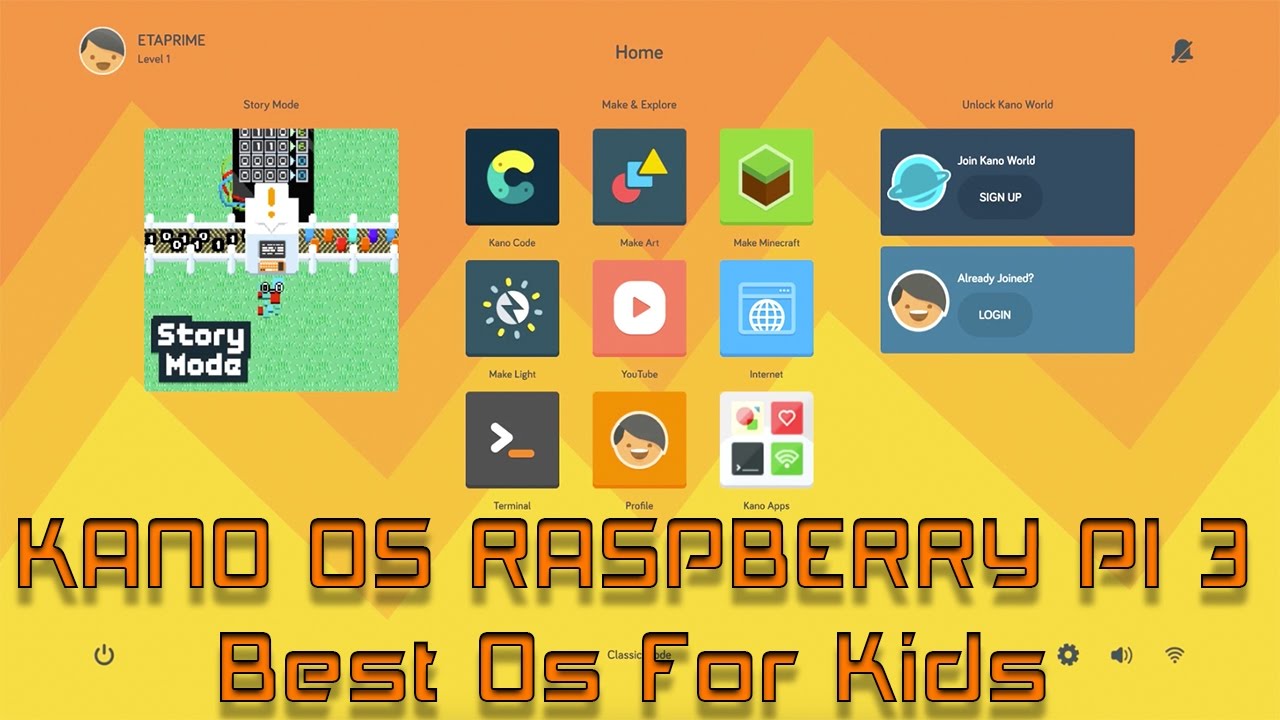
I first tested Kano OS to play with the story mode. It is a super original way to explain how a computer works: with an old-school RPG look and feel, you explore a world whose map is based on the computer's parts. Characters give you missions, and each mission teaches a concept: what a file is, how the terminal works, what the internet is made of. It is a good refresher for those who already know the basics, and a much friendlier way to learn computer science for newcomers.
Other applications included in Kano OS:
- Make Art: draw with code, a bit like p5.js;
- Make Snake and Make Pong: modify classic games by changing their code;
- Kano Code / Make Minecraft: block-based programming that gradually reveals the JavaScript or Python behind the blocks;
- Terminal Quest: a text adventure that teaches real Linux commands (
ls,cd,cat,mv...).
From blocks to real code
The strength of Kano is the progression. Kids start with drag-and-drop blocks (similar to Scratch), then see the equivalent text code, then write it themselves. Because the system is a real Linux, curious learners can open a real terminal, install packages and use the Raspberry Pi's GPIO pins to control LEDs, sensors and motors.
Is it still worth it today?
Kano has evolved over the years (Windows-based Kano PCs, Harry Potter and Star Wars coding kits), and the original Raspberry Pi kits are now mostly found second-hand. Here is my advice:
- Second-hand Kano kits are a great bargain: the hardware is standard, and Kano OS images are still available.
- Alternatives: a plain Raspberry Pi with Raspberry Pi OS, Scratch and the free projects of the Raspberry Pi Foundation offers a similar journey.
- For schools and associations, refurbished laptops running Linux, such as those distributed by Labdoo, are an affordable alternative.
Why it matters
Understanding hardware and software is the first step towards digital autonomy. A child who has assembled a computer and written a few lines of code no longer sees technology as magic; they see it as a tool they can master, repair and improve. That is the foundation of a healthy relationship with technology, and of the free software culture.